Stuck in Missing Audio Interface Pop-up

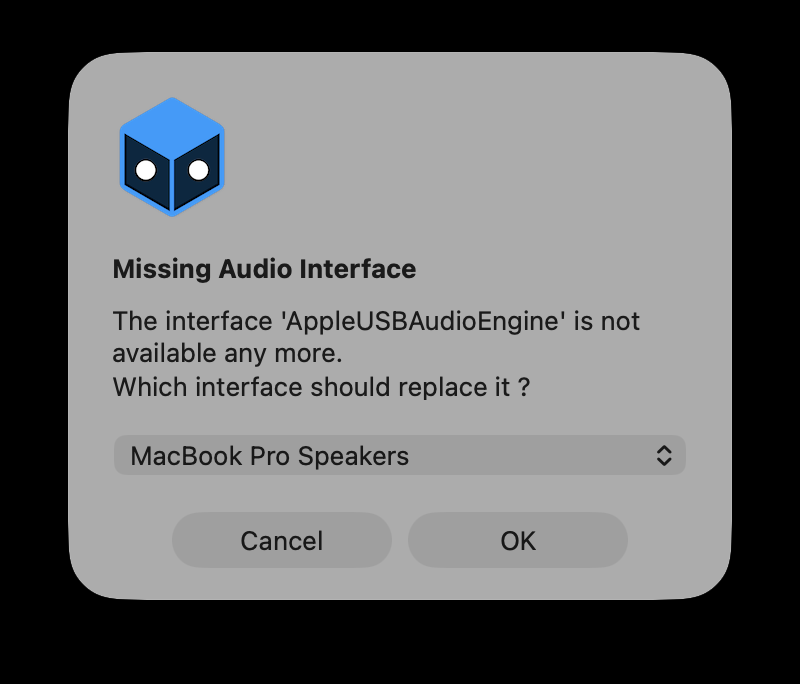
Hi, I am trying to open a project that has a disconnected audio interface.
This pop-up appears, asking me to replace it, however, no matter what I click, Ok, Cancel, or changing to any other interface, nothing happens, and Millumin is just stuck there. I have to force quit it to get it to close.
Now I have no way to open this project has it always pop this message up, and pressing any button has no response.
Comments
Hello @XenoJin,
I tried the same on macOS 26 Tahoe, and it worked fine.
Could you send us a TeamViewer session (or equivalent) via email ? So we could check this out.
Best. Philippe
If you open a project with a lot of Milumin memory without that device, in my case, it will recover if you wait a long time.
Be careful when using audio routing.
Hello @Hyungjae,
We are not aware of such an issue.
Could you tell us more about your issue (ideally send us an email with your project) ? We will open a ticket, thank you.
Best. Philippe
Hello @Millumin , what email do I send it to?
Hello @XenoJin,
Well, our support address : contact / millumin
Best. Philippe